How to Track Fabric Defects with ERP Before Cutting Begins
Fabric defects found at the cutting table cost more than those caught at the roll stage. Learn how ERP data can identify defect patterns before production begins.
What this covers
- Defects in fabric rolls often go unnoticed until cutting starts, costing more in rework and waste than early detection would.
- ERP can track defect patterns by roll, dye lot and supplier, not just by batch or inspection sheet.
- The real cost of defects is not just the scrap but the hidden delays in cutting, stitching and finishing lines.
- A four-point scoring system in ERP lets you flag rolls for re-inspection before they block the next process.
- Preventing defects at the roll stage cuts both material waste and the labour tied up in fixing them later.
Fabric defects found at the cutting table cost more than those caught at the roll stage
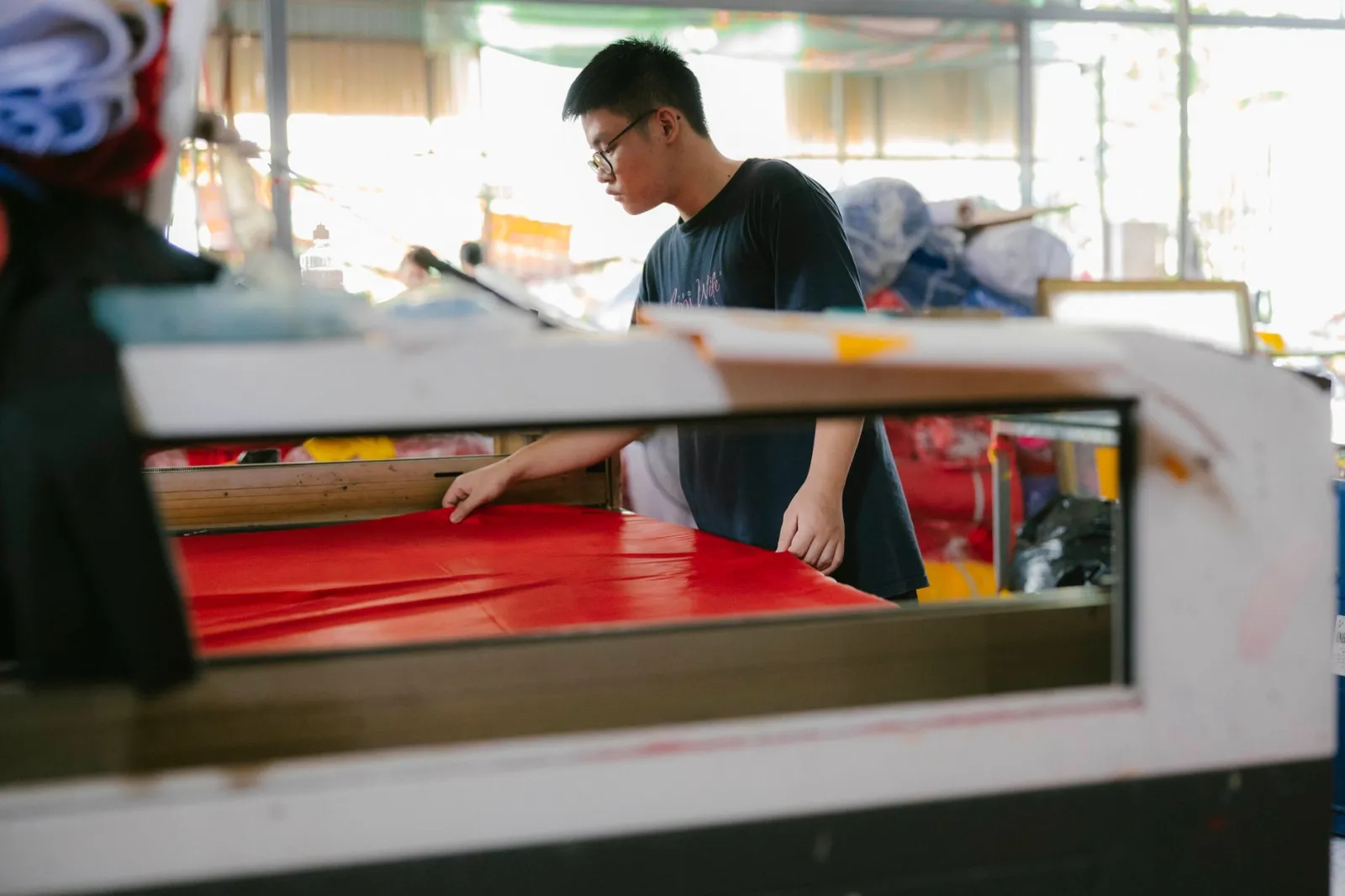
Most textile plants inspect fabric rolls before they leave the dyehouse or finishing line, but inspection sheets—whether paper or digital—rarely connect to the cutting room. By the time a roll is unloaded, defects are logged, the roll is allocated to a batch, and the cutting schedule is set. If a defect is missed—such as a subtle stain or a consistent pattern—it only surfaces when the fabric is laid out for cutting. At that point, the cost extends beyond scrap to include re-cutting time, wasted labour on the stitching line, and production delays from reallocating orders.
Defects like weak weaves that fray under tension may not appear until sewing, often after the entire batch has been cut. Rework then ties up machines for hours. The ERP’s role is to track defect clusters and their causes—not to eliminate all defects, but to catch the ones that slip through before they disrupt production.
Defects are not random: ERP can show where they cluster
Defects in fabric rolls follow patterns tied to specific dye lots, suppliers, or machines. A roll with a consistent oil stain may come from a particular dyehouse batch, while weak weaves might trace back to a single loom or supplier batch. Most inspection sheets treat each roll as isolated, recording only the defect and score without linking it to the roll’s origin—dye lot, supplier, or machine—rendering the data ineffective for prevention.
Facteno’s quality control module connects inspection scores to roll attributes, recording the defect type, roll number, dye lot, supplier, and machine. Over time, this reveals defect clusters. For example, if Supplier X’s rolls consistently fail colourfastness tests, purchasing can renegotiate terms or switch suppliers. If a dyehouse batch repeatedly produces weak weaves, production can adjust loom tension or request a different yarn blend. The ERP’s value lies in linking defects to roll history, enabling proactive action before cutting begins.
Continuous inspection enhances this process. Some plants re-inspect rolls after days to catch defects like creasing or colour bleeding that may develop later. Facteno supports scheduled automatic re-inspections for high-risk rolls, preventing missed defects.
Hidden costs: defects delay the whole line, not just the cutting room
The direct cost of fabric defects is the scrap. The indirect cost is the time wasted when the defect forces a stop in cutting, stitching, or finishing. A roll with a hidden defect may not be spotted until it is halfway through the cutting table, requiring the cutter to stop, mark the defective section, and either discard it or re-cut the good fabric around it. Meanwhile, the stitching line sits idle, and the production manager must decide whether to reroute orders or accept a delay in delivery.
Facteno tracks these delays by linking inspection scores to the production schedule. If a roll is flagged as high-risk, the system can automatically adjust the cutting sequence to prioritise it or allocate extra time for rework. It can also flag when a defect is likely to cause a bottleneck—for example, if a roll with a known weak weave is scheduled for a high-volume order.
Defects often create a domino effect: if a roll is rejected at the cutting stage, the entire batch may need to be re-cut, and the stitching line may have to stop while the fabric is re-prepared. The ERP makes these delays visible, helping the plant identify which suppliers, dye lots, or machines are the biggest risks.
Illustration: calculating the hidden cost of a defect
Say your scrap rate is 3 per cent of fabric cost, and your cutting room operates at 80 per cent efficiency. If a defect forces a 30-minute stop—during which no other fabric is processed—you lose the output of that time plus labour and machine costs. At $25/hour for labour and $50/hour for machine time, the direct cost of the stop is $125. The indirect cost is higher: if the stitching line stops, it adds another $100 in labour and machine time. The production manager’s reallocation of orders adds an extra hour of administrative work. The total hidden cost includes lost output, delayed orders, and rescheduling.
How to set up defect tracking in ERP without extra paperwork
Most plants already inspect fabric rolls, but the data is often stored in spreadsheets or paper logs that are not linked to the ERP. The first step is to digitise the inspection process so that every defect is logged directly into the system. This does not require new equipment—most inspection sheets can be scanned or entered manually—but it does require a standardised way to record defects. Facteno’s quality control module uses a four-point scoring system (as explained in this guide) to classify defects by severity: a score of 1 might mean a minor stain that can be trimmed out, while a score of 4 means the roll is unusable without rework.
The next step is to link each inspection to the roll’s attributes—dye lot, supplier, machine, and other relevant details. As defects are logged, the system associates them with these attributes, creating a database of defect patterns. For example, if rolls from Supplier A consistently score 3 or 4 for colour variation, the purchasing team can use this data to negotiate better terms or switch suppliers.
To avoid extra paperwork, use the ERP to automate follow-ups. For instance, if a roll scores 3 or higher, the system can automatically flag it for re-inspection or allocate it to a lower-priority cutting schedule. It can also generate reports showing which suppliers, dye lots, or machines are the biggest sources of defects.
What happens when the ERP shows a defect pattern you can’t fix
Not all defect patterns can be fixed. Some suppliers may consistently produce substandard fabric, or certain dyehouse processes may inherently create more defects. In these cases, the ERP helps you decide how to work around the issue. For example, if rolls from Supplier X always have a high rate of minor stains, allocate them to products where defects are less visible, such as inner linings or backing fabric. Alternatively, negotiate a discount with the supplier to offset inspection and rework costs.
Facteno’s reporting tools compare defect rates across suppliers, dye lots, and machines. If a supplier is consistently the worst performer, the data can justify renegotiating terms or switching suppliers. If a dyehouse process is the root cause, adjust the recipe or pre-treatment steps to reduce defects. The ERP provides the data to decide whether to fix, work around, or accept the defect as a cost.
Some defects are unavoidable due to fabric or product nature. For example, heavy-duty canvas may naturally have more weave variations than lightweight cotton. The ERP helps price the product accordingly, factoring in expected defect rates and rework costs to reflect financial impact in the selling price.
How to use ERP data to cut rework before cutting starts
Rework is the most expensive part of fabric defects. Once a roll is cut, any defect means the entire piece must be re-cut, re-stitched, and re-inspected. The ERP reduces rework by ensuring only rolls with acceptable defect levels reach the cutting room:
- The system flags rolls scoring below a threshold (e.g., defect score ≥3) for re-inspection before cutting.
- It allocates high-risk rolls to trained operators or tables to prevent further damage.
- It adjusts cutting patterns to minimise waste—e.g., offsetting layouts to trim defects like selvedge stains.
- It triggers alerts when defect rates exceed limits, prompting decisions to rework, scrap, or reallocate rolls.
Facteno’s module integrates quality control with cutting schedules, adjusting in real time. High-risk rolls may be delayed or given extra cutting time, reducing line stops.
What to do next week: three steps to start tracking defects in your ERP
You do not need to overhaul your entire quality process to start using ERP for defect tracking. Here are three practical steps:
- Digitise one inspection sheet. Pick the most common defect type—say, stains or weak weaves—and start logging it directly into the ERP. Use Facteno’s quality control module to record the defect, the roll number, and the score. If you are still using paper, scan the sheets and enter the data manually until the process is stable.
- Link defects to roll attributes. Ensure every inspection is tied to the roll’s dye lot, supplier, and machine. This requires only discipline in recording details, revealing patterns like which suppliers or dyehouse batches produce the most defects.
- Set a threshold for re-inspection. Define a defect score that triggers a second inspection or changes the cutting schedule. For example, any roll scoring 3 or higher could be re-inspected before cutting or allocated to a specific cutting table. Use Facteno’s reporting tools to track how often defects cause stops in cutting or stitching, and adjust the threshold as needed.
Frequently asked
Do I need new equipment to track fabric defects in ERP?
What if my suppliers or dyehouses won’t share data?
How do I decide which defects to track first?
Can ERP track defects in finished garments, not just fabric?
What if my ERP doesn’t have a quality control module?
Everything above is how Facteno actually behaves
Ask for demo access and we will walk you through a full plant with four months of documents, so you can check the numbers yourself.