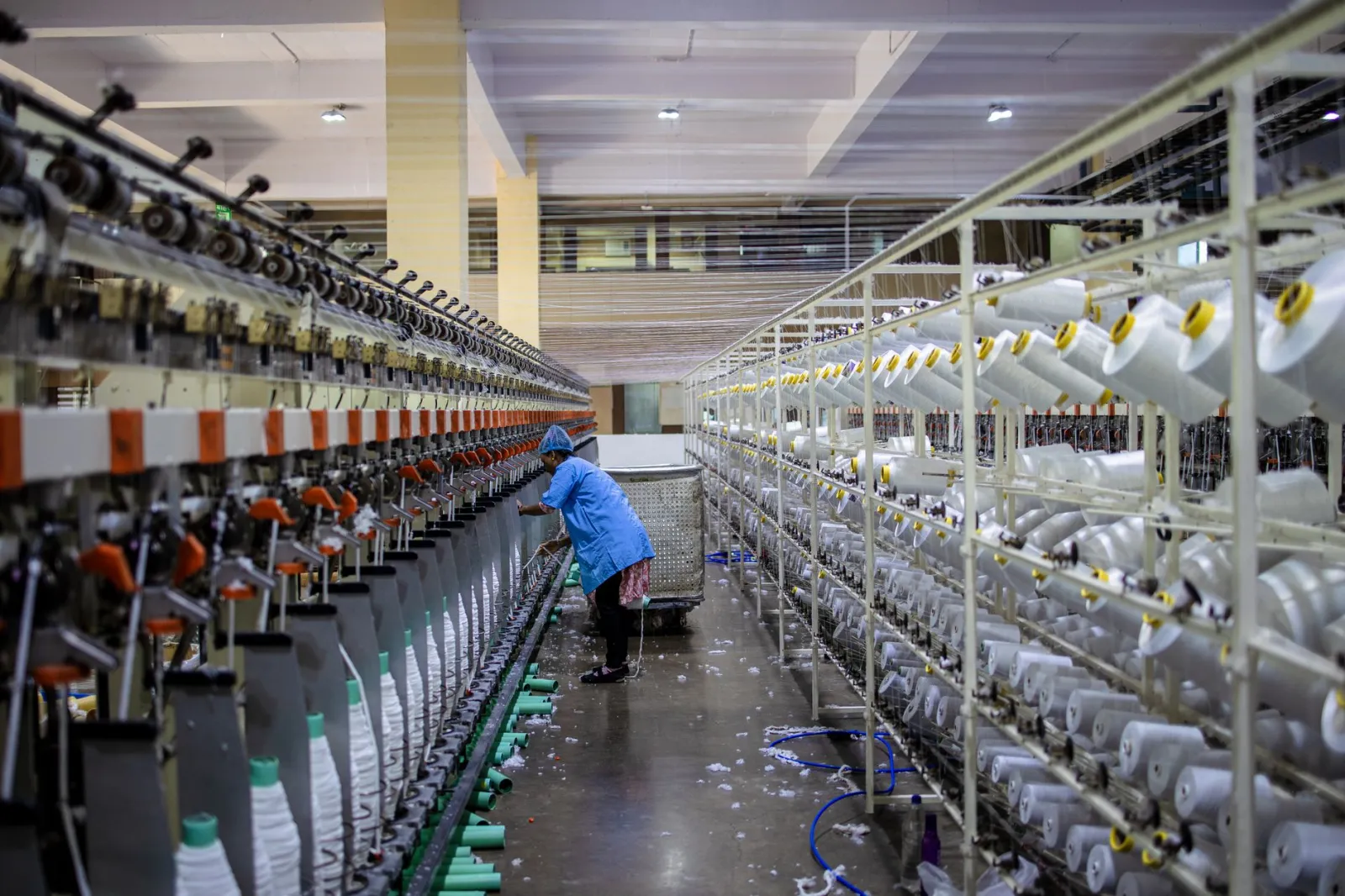
How to Allocate Electricity Costs by Machine Type in ERP
Electricity bills are the biggest hidden cost in factories. Allocate them by machine type in ERP to stop overpaying and catch inefficiencies before they hit margins.

What this covers
- Electricity costs must be split by machine, not by guesswork or spreadsheets.
- Facteno links power consumption to production orders, shifts and machine logs.
- Hidden costs appear when you track standby time, maintenance spikes and idle cycles.
- Reconcile monthly bills against machine logs to spot billing errors or theft.
- Start with one production line, then expand to the whole plant.
Why Spreadsheets and Guesswork Turn Electricity into a Black Hole
Factories pay for electricity twice: once on the invoice, and again when the accountant divides it by headcount or floor space. The result is a cost that never lands on a specific machine, production line or batch. Without precise allocation, you cannot tell which machines are energy hogs, which shifts are inefficient, or whether a supplier’s promised savings ever materialised.
Most ERP systems let you assign labour and materials to orders, but electricity stays in a separate ledger—often lumped under “factory overhead.” That works until you need to know why margins on Product A are 12% lower than Product B, or why the night shift costs twice as much per kilowatt-hour as the day shift. The answer lies in how each machine consumes power, not in averages.
Facteno solves this by tying electricity usage to the same data used for production: machine logs, shift records, batch cards and order routing. No spreadsheets. No monthly reconciliations. Just a direct link between what the meter reads and what the ERP records.
What Actually Drives Electricity Costs—and When You Find Out
Electricity costs move with four things: consumption, tariff, demand charges and inefficiency. A spreadsheet might track the first two, but the last two slip through unless your ERP captures them in real time.
Consumption is straightforward—kilowatt-hours per machine—but tariffs change with time of day, peak demand and supplier contracts. Demand charges hit hardest when a single machine spikes usage during a high-rate period. Inefficiency appears in idle cycles, poor maintenance or mismatched power factors.
Facteno’s production module logs every machine’s runtime, idle time and energy draw. The finance module then splits the bill by these logs, not by floor space. For example:
- If Machine X runs 12 hours a day at 50 kW but idles for 3 hours at 20 kW, the ERP records both loads separately.
- If the tariff jumps at 3 PM, the system flags which machines were running then and why.
- If a supplier claims a “10% energy-efficient motor” but the machine’s kWh per unit stays the same, the discrepancy shows up in the cost per piece.
This is not about saving pennies on the utility bill—it’s about catching inefficiencies that eat margins before they hit the P&L.
How to Link Machine Logs to the Electricity Bill Without Manual Work
The biggest mistake is waiting until month-end to match machine data with the bill. By then, the numbers are stale, and you’ve missed the chance to adjust shifts or maintenance. Instead, Facteno syncs machine logs with the meter in real time.
Here’s how it works:
- Install a smart meter or sub-meter on each production line or major machine. These log kWh per minute and send data to the ERP.
- Set up a “power consumption” field in the machine master record, linked to the meter’s output. For example, a loom might log 3.2 kWh per hour at full load, 1.8 kWh during setup, and 0.5 kWh in standby.
- Assign a cost driver to each machine. This could be runtime, cycles per hour, or even air pressure (for compressors). For a dyeing machine, it’s litres per batch; for a sewing line, it’s stitches per minute.
- Let the ERP split the bill by these drivers. When the utility company sends the invoice, Facteno divides it by machine usage, not by headcount.
This avoids the “average cost per machine” trap. If one machine uses twice as much power as another, it pays twice as much—no rounding, no estimates.
What Happens When You Ignore Standby and Idle Time
Most factories track “machine uptime” as hours running, but electricity costs don’t stop when production does. A loom left in standby mode draws 30% of its full load. A compressor cycling on and off wastes 15% of its energy. These costs hide in “factory overhead” until you allocate them properly.
Facteno’s production module logs four states for every machine:
- Active production (full load)
- Setup/changeover (reduced load)
- Standby (partial load)
- Off (zero load, but some machines still draw power)
For example, say your own scrap rate is 3% on a stitching line that runs 24 hours a day. If the line idles for 2 hours a day in standby, that’s 48 hours of wasted energy per week—enough to add $1.20 per dozen garments if your electricity cost is $0.12 per kWh (illustration: 48 hours × 5 kW × $0.12/kWh ÷ 1,200 units). That $1.20 isn’t in the material cost or labour cost; it’s buried in overhead.
By allocating standby time separately, you can:
- Turn off machines during low-demand shifts instead of leaving them in standby.
- Negotiate lower tariffs for off-peak hours where machines actually run.
- Charge departments for idle time, just as you charge them for downtime.
This is where Facteno’s downtime allocation guide helps: the same logic applies to energy waste as to labour waste.
How to Spot Billing Errors Before They Hit the P&L
Utility companies make mistakes. They charge for “demand spikes” that never happened, or bill the wrong tariff for a shift. Without machine-level data, you can’t prove it. With Facteno, you reconcile the bill against actual usage.
Here’s how to do it:
- Export the meter logs for the billing period, broken down by machine and time slot.
- Compare them to the invoice line by line. For example:
| Cost Driver | When It Lands | What Makes It Move |
|---|---|---|
| Consumption (kWh) | Monthly, with the bill | Machine runtime, idle cycles, maintenance spikes |
| Demand Charges | Monthly, tied to peak usage | Simultaneous startup of multiple high-draw machines |
| Tariff Changes | Hourly or daily, per contract | Shift schedules, supplier contract terms |
| Taxes & Levies | Quarterly or annually | Government rates, not machine usage |
For instance, if the invoice shows a $500 demand charge but your logs prove no machine drew more than 80% of capacity during the peak period, you have evidence to dispute it. Facteno’s reports module lets you export this data in a format the utility company’s auditor will accept.
This isn’t about saving on the bill—it’s about ensuring the bill matches reality. If it doesn’t, the discrepancy is either a mistake or a hidden cost you’re paying twice.
Why Most Factories Still Use Spreadsheets—and What Goes Wrong
Spreadsheets fail for three reasons: they’re manual, they’re static, and they don’t link to production data. A factory might divide the electricity bill by “machine hours,” but that ignores:
- Machines that run longer but produce less (e.g., a loom with frequent thread breaks).
- Machines that draw power even when “off” (e.g., a press holding heat).
- Shifts where the same machine runs at different speeds (e.g., a stitching line in rush mode vs. standard mode).
Facteno avoids this by using dynamic cost drivers. Instead of dividing the bill by “total machine hours,” it splits it by:
- Actual kWh per production order (linked to the sales module).
- Energy per unit (e.g., kWh per metre of fabric, per dozen garments).
- Shift-specific tariffs (e.g., night shift costs more, but output is lower).
For example, if your dyeing machine uses 15 kWh per 1,000 litres but your stitching line uses 8 kWh per 1,000 units, the ERP allocates costs accordingly—no averaging. This lets you:
- Price jobs accurately (e.g., “This order will cost $2.50 in electricity per unit”).
- Spot inefficiencies (e.g., “Why is the stitching line using 20% more power this week?”).
- Avoid overpaying for “overhead” that’s really tied to specific machines.
Spreadsheets can’t do this because they don’t update in real time. Facteno does.
What to Do Next Week: Three Steps to Start Allocating Properly
You don’t need to overhaul everything at once. Start with one production line or machine type, then expand.
- Pick one line or machine—the one with the highest electricity draw or the most variable usage. Install a sub-meter if you don’t have one.
- Log its usage for two weeks in Facteno’s production module, recording runtime, idle time and any maintenance spikes.
- Run a test allocation for the next bill. Compare the ERP’s split to your current method. The difference is your first hidden cost.
Once you’ve proven it works on one line, roll it out to others. The goal isn’t to save on the utility bill—it’s to stop paying for inefficiency twice: once in the invoice, and again in lost margins.
Frequently asked
Can I allocate electricity costs without smart meters?
What if my machines don’t have individual meters?
How do I handle machines that run on backup generators?
Will this work if my tariff changes every month?
What if my accountant says it’s ‘too complex’?
Everything above is how Facteno actually behaves
Ask for demo access and we will walk you through a full plant with four months of documents, so you can check the numbers yourself.